In this blog post, I have explained how I created my blog website using Hugo-PaperMod and Vercel for free.
As I work in cybersecurity industry, I always read so many blogs of great security researchers and follow their RSS feeds which has helped me a lot to expand my knowledge in the field.
I always wanted to write my own blogs but never knew where to start. A friend who himself writes blogs suggested that I should use Hugo-PaperMod theme to build my blog website.
So, I started building my blog website using Hugo-PaperMod. But instead of going through the installation guide and documentation of Hugo-PaperMod, I thought why not just ask the author of Hugo-PaperMod on how to set it up directly😁. Yes, I had that privilege as he is a friend of mine and he is the one who motivated me to write blogs and helped setup this website. I asked a lot of stupid questions to him while building this website. He writes some fantastic blogs you can check it out here.
The real motivation behind this particular blog is to help someone who wants to start their own blog website but has no idea how to start.
Let’s get started now.
Hugo-PaperMod Setup
Step 1: Install Hugo
Step 2: Create a new Hugo site using below command.
hugo new site MyFreshWebsite --format yaml # replace MyFreshWebsite with name of your website
Step 3 - Run
git initcommand inside the folder of your website name.Step 4 - Inside the folder of your Hugo site
MyFreshWebsite, run below command.
git submodule add --depth=1 https://github.com/adityatelange/hugo-PaperMod.git themes/PaperMod
git submodule update --init --recursive # needed when you reclone your repo (submodules may not get cloned automatically)
Step 5 - Run
git submodule update --remote --mergecommand inside the folder of your Hugo siteMyFreshWebsite.Step 6 - In hugo.yaml file add
theme: PaperMod.
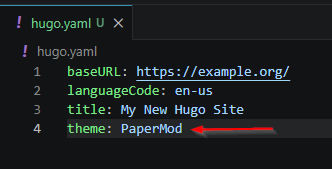
Step 7 - Inside a
contentdirectory, add a folder namepostsand inside thepostsfolder you can add your blog posts in markdown format. Sample Page.md file.(Note - This directory structure is only valid if you are using my sample hugo.yaml file.)Step 8 - Run
hugo servercommand inside the website folder to spin up the website on your localhost:1313
You can find all of these in the Hugo-PaperMod installation guide.
Hosting the website on Vercel
Vercel is a cloud platform designed for developers to build, deploy and scale web applications with ease.
Step 1 - Create vercel.json file in your website folder and add below json to it.
{
  "version": 2,
  "build": {
    "env": {
      "HUGO_VERSION": "0.150.0"
    }
  },
  "github": {
    "silent": true
  }
}
This is required because Vercel by default use different Hugo version than what is required to setup our website.
Step 2 - Create Github repository for your website and push the code to your github repository.
git remote add origin https://github.com/<username>/<repo>.git
git add .
git commit -m "MyFreshWebsite"
git push origin main
Step 2 - Login into Vercel and click on Add New -> Project.
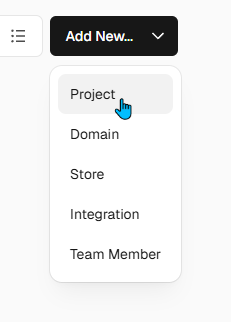
Step 3 - Add your Github repository and give permission to Vercel to access your blog github repository.

Step 4 - After giving permission and clicking on import, you will get on below screen. Select Application Preset as Hugo and click on Deploy.
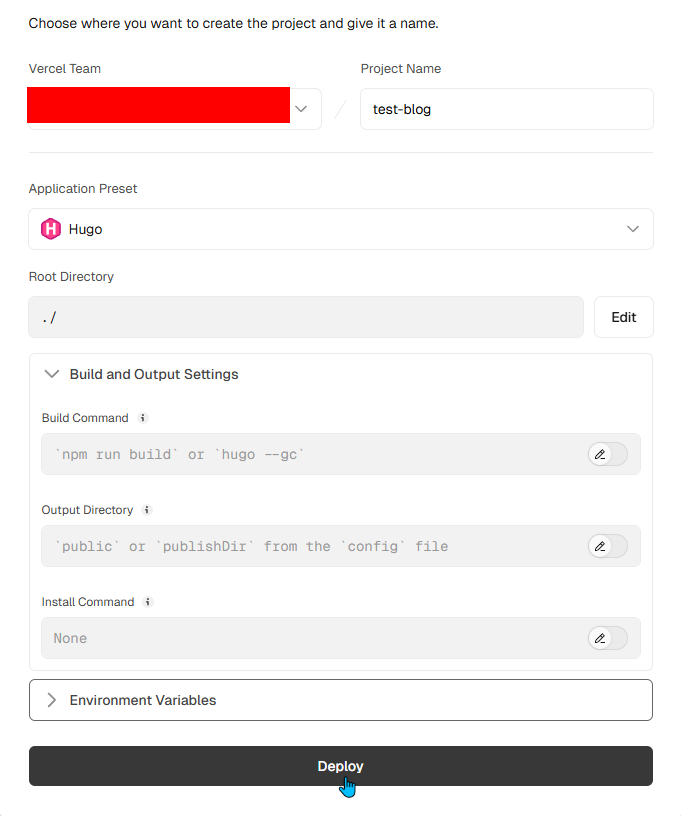
Step 5 - Your website is now deployed and live. Now, you can go to the domain section and change the domain of your website as you want.
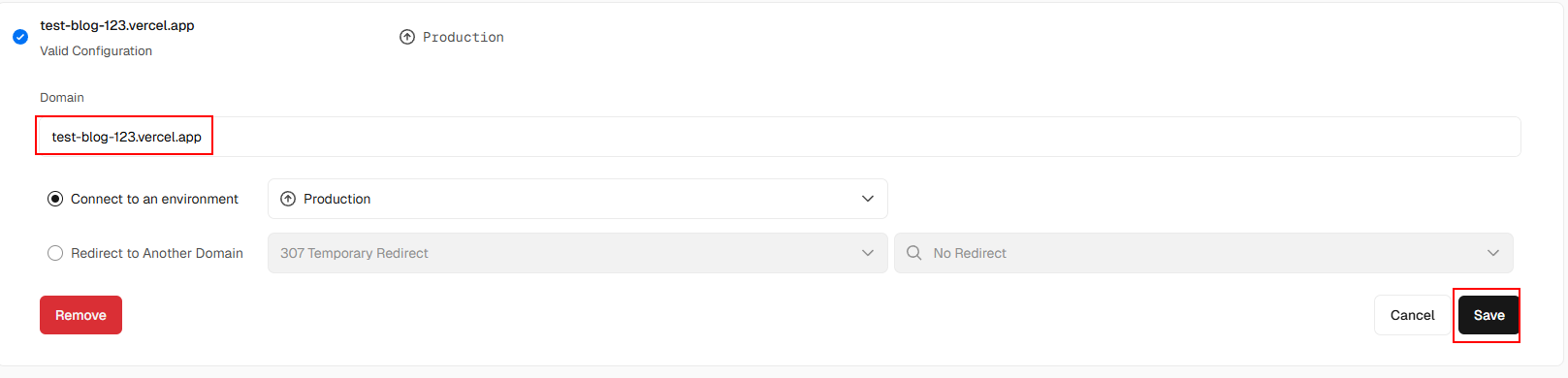
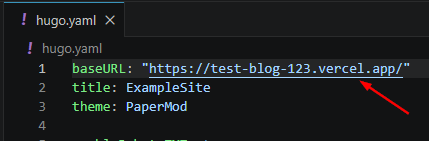
Step 6 - Change the baseURL in your hugo.yaml file and push the changes to your github repository. This is important or else you will not able to navigate in your website.
Your Blog website is now ready and live🎊!!
Final Thoughts
There are many customizations you can make with your Hugo-PaperMod website. Play with it and choose what best suits you and your website.
You can use Giscus to add comments section in your blogs. Code to integrate Giscus with the Hugo-PaperMod is here. Create and paste the code in the layouts\partials\comments.html file.
Maybe in future I will buy my own domain but currently I am using Vercel’s domain.
My plan is to write blogs for the things I am learning, which will keep me motivated and will also help someone with similar interests.
Happy Blogging😊!